You've had that lesson. Everything was technically working. The connection was stable, the student was present, and you covered the material. But after about twenty minutes, the energy dropped. Responses got shorter. The student answered your questions but seemed checked out. You finished the session with that hollow feeling, like you just gave a lecture to an audience of one.
Most online teachers know this moment. Many try to fix it by adding something new, like an activity, a game, a poll, or a breakout exercise. Sometimes this helps, but often the flat feeling comes back in the next lesson.
The reason is that interactivity is not just something you add to a lesson. It is built into how the lesson is designed. If you add a quiz to a passive lesson, it is still a passive lesson with a quiz. But if you redesign the lesson so the student takes the lead instead of just receiving information, the energy changes in a real way, even without special tools.
This guide explains what interactivity really means, why online lessons often lose it, and eight specific changes you can make to any lesson, in any subject or at any level, that change the structure instead of just adding extra activities. If you teach English and want a list of specific activities, there is a separate guide for interactive ESL lessons. This article focuses on the design principles that make those activities effective.
What "Interactive" Actually Means (and What It Doesn't)
People often use the word "interactive" to describe almost any lesson that isn't just a lecture. However, not everything that seems interactive truly is.
Participation Is Not the Same as Interactivity
When a student answers a question every few minutes, they are participating. This is different from interacting.
Participation is reactive. The teacher leads and the student responds, giving the correct answer when asked. This approach can be useful, but it puts the student in the role of a responder, simply following the teacher's script.
Interactivity is generative. The student produces, chooses, builds, or decides something that the teacher did not plan in advance. What the student does shapes what happens next. The lesson adapts to the student's actions instead of following a fixed sequence no matter how the student engages.
This distinction is important. A lesson with lots of questions and short answers can still be passive for students. They are just recalling information they already know, not building new understanding. If students only retrieve known information over and over, they can quickly lose interest.
The Four Levels of Interactivity in Online Lessons
Not all types of interaction have the same effect. Here they are, from lowest to highest impact:
Level 1 is Recall. At this stage, students remember information they already know. For example, you might ask, "What tense is this?" or "What's the formula?" This level helps check understanding, but it does not involve much thinking.
Level 2 is Application. Here, students use a concept in a new situation. For example, you might say, "Write a sentence using this structure," or "Solve this type of problem." This level is more challenging because it asks students to think and apply what they know.
Level 3 is Construction. At this level, students create something new. You might ask them to "Write your own example," "Explain this concept in your own words," or "Design a solution." This is the most demanding stage, and it is where real learning and engagement come together.
Level 4 is Metacognition. At this stage, students reflect on their own learning. You might ask, "What was difficult about that?" "What would you do differently?" or "How does this connect to what you already knew?" This level leads to the deepest retention and the strongest sense of ownership over learning.
Most online lessons focus mainly on Level 1. Shifting more activities to Levels 2, 3, and 4 is what truly makes lessons interactive, and you do not need any extra tools to make this happen.
Why Most Online Lessons Default to Passive Delivery
It's important to be honest about why this happens. It's not a personal failing; it's built into how the medium works.
Teaching in a physical classroom is naturally interactive because teachers get constant, automatic feedback: body language, the energy in the room, how quickly and well students respond, and where people are sitting. This feedback leads teachers to adjust on the spot. They might slow down, change their approach, ask a question, or pause, often without even thinking about it.
Online, that feedback loop is missing. Seeing someone on a screen gives only a small part of the information you get in person. When teachers don't have these cues, they tend to talk more, explain in greater detail, check in with words, and fill the silence that would normally be filled by reading the room. Lessons become more like lectures, not because teachers are less skilled, but because the medium takes away the signals that usually break up the lecture.
This leads to a lesson pattern where the teacher talks, the student listens, the teacher asks a question, the student gives a short answer, and then the teacher explains more. This cycle feels comfortable for the teacher because it seems like everything is being covered. It's also easy for the student, and that's actually the problem.
Four Dimensions of a Genuinely Interactive Online Lesson
A helpful way to assess and improve any online lesson is to check which of these four dimensions are included and which are missing.
1. Cognitive Interactivity: The Student Is Thinking, Not Just Receiving
This is the most important and often the hardest to see. Cognitive interactivity happens when the student is actively processing, such as constructing an answer, weighing options, solving a problem, or making a prediction, instead of just receiving information.
If a teacher explains a concept for 12 minutes and then asks the student to apply it, the student spends 12 minutes just listening before a short period of active thinking. Try switching this around: start by giving the student a problem that needs the concept before you explain it. Now, when you explain, the student is already thinking about the answer and is more engaged.
2. Behavioural Interactivity: The Student Is Doing, Not Just Watching
Behavioral interactivity is easy to spot. The student is actively doing something, like writing on a shared board, marking up a text, clicking, choosing, dragging, or building. Their hands are involved in the process.
This matters for more than just keeping lessons interesting. When students create language or content themselves, they remember it better than if they only listen or watch. For example, a student who writes a sentence on the board will remember it longer than one who only hears you say it. In the same way, a student who marks an error in a text will remember the correction better than one who only watches you do it.
The interactive whiteboard in your classroom is the main tool for this kind of activity, but it is effective only if the student is the one writing on it, not just watching you. If you say "let me show you," students become passive. If you hand the pen to the student and say "you show me," you encourage real behavioural interactivity.
3. Social Interactivity: There Is a Genuine Exchange, Not a Performance
Social interactivity happens when both people truly respond to each other. What the student says actually shapes what happens next, and the student is aware of this.
In lessons with little interactivity, the teacher decides what will happen next no matter how the student responds. The student's answer is simply marked as correct or incorrect, and the lesson continues. The student does not help shape the session; instead, they just follow a set script.
In highly interactive lessons, what the student says can lead the lesson in new directions. If a student gives an unexpected answer, the teacher responds with real curiosity. Even mistakes become opportunities to explore, not just problems to fix. The student feels that their input truly matters.
This is hard to fake. Students, especially adults, can tell when their answers are just being checked off a list instead of truly listened to. When students feel truly heard, they are much more willing to take risks with language and ideas.
4. Environmental Interactivity: Your Platform Supports All Three
People often overlook the fourth dimension because it seems like a logistics issue instead of a teaching concern. But it is a key part of effective instruction.
The environment you use for lessons can either help or hinder cognitive, behavioral, and social interactivity. For example, if your video call tool does not offer a shared writing surface, student reaction features, ways to assign real-time tasks, or options for students to show their work, it limits all three types of interaction. Even the most skilled teacher will face these limits if the platform does not support them, and those limits will stay in place.
If students can write on a shared board, react in real time, complete tasks without leaving the lesson, and show their work alongside the teacher, those limits disappear. The teacher's skill still shapes the lesson, but now the platform supports their efforts instead of holding them back.
Eight Changes You Can Make to Any Online Lesson Right Now
You don't need any new tools or extra prep time for these changes. They simply adjust how your current lesson is set up.
1. Replace Every Explanation With a Question First
Ask the student what they think before you explain anything. Let them try to build the correct sentence structure before you show it to them. If there is an error, have them try to figure out what went wrong before you explain it.
This approach does two things. First, it gets the student thinking before you explain, which helps them remember the answer. Second, it shows you what the student already knows, so you can make your explanation more focused. You avoid repeating what they understand and can target the real gap.
It takes a few lessons to build this habit, but the benefits add up. Over time, students start to correct themselves before you step in, because asking questions becomes their natural way of learning.
2. Let the Student Take the Pen—Literally
When you use a shared board in your lessons, think about who is actually writing. If you usually do all the writing, try switching things up.
Ask students to write on the board instead of just watching you. Let them annotate the text themselves, and have them type out corrections instead of only telling you what to write.
Doing something physical, like typing or drawing, helps students stay more engaged than just watching. It also gives them a record of their own work to review later, which helps them remember what they learned.
3. Use Short Timed Tasks to Refocus Attention
In online learning, students' attention usually drops after 7 to 15 minutes, depending on their age and the activity. Instead of pausing, the best way to help them refocus is to change the type of task.
Plan for regular transitions in your lessons. Every 8 to 12 minutes, switch up the activity. For example, move from listening to writing, from grammar explanations to speaking, or from reading to annotating on the board.
You don't need to make these changes complicated. Even a quick 90-second writing sprint on the board can help students re-engage before moving on. Using a timer and saying something like, "You have 60 seconds, go," adds a sense of urgency that keeps students active.
4. Build in a Response Moment Every 5–7 Minutes
If you talk for more than seven minutes without the student doing something, like writing a response, giving a verbal answer, making an annotation, or making a choice, the lesson has become passive.
Schedule response moments at clear intervals, such as a quick comprehension check on the board, a one-sentence reaction to something just read, or a prediction before you share the next piece of information. These activities do not have to be formal. Even a thirty-second pause in your explanation works. The key is to make sure the student is regularly asked to participate, not just listen.
5. Use Real-Time Reactions to Read the Room Without Breaking Flow
One challenge in online teaching is that asking "does that make sense?" can interrupt the flow of the lesson and often leads to unreliable answers. Students often say yes when they actually mean, "I'm not sure, but I don't want to slow things down."
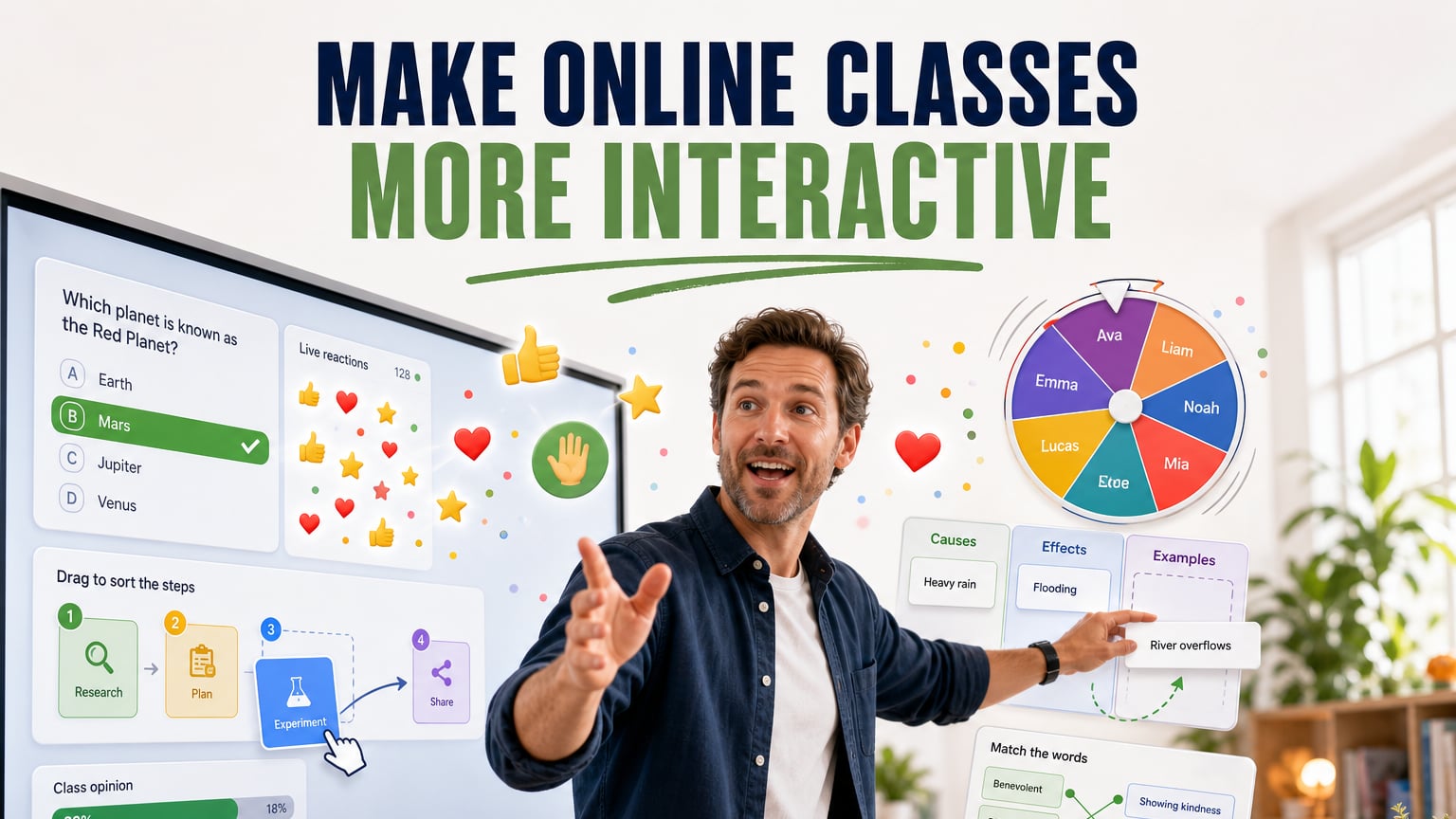
Real-time reaction tools, like thumbs up or down, emoji responses, or a quick written signal on the board, give students an easy and low-pressure way to show how well they understand. Make these tools a normal part of your lessons from the start. For example, say, "show me a thumbs up when you feel solid on this, and a thumbs down when you'd like me to come back to it."
The student who can signal confusion without verbally admitting it is more likely to do so. You catch misunderstandings before they compound. The lesson continues without an awkward pause, but you have real-time comprehension data.
6. Ask the Student to Teach Something Back
At least once per lesson, after covering a concept or completing an exercise, ask the student to explain it back to you as if you were the student. "Teach me how to use the present perfect like I've never heard of it before."
This technique, sometimes called the Protégé Effect, helps students remember much more than simply re-reading or re-listening. When students have to organise, simplify, and explain a concept, they use higher-level thinking skills. It also shows gaps in understanding that might not appear with standard questions. Students who only understand something on the surface can often answer direct questions, but they usually struggle to explain it clearly.
This approach also changes the classroom dynamic in a helpful way. The student gets to be the expert for a moment, which builds both confidence and understanding.
7. Create Prediction Tasks Before Revealing Information
Before playing an audio clip, showing a text, or explaining a concept, give the student 60 seconds to predict what they're about to encounter. "What do you think this article is going to argue?" "What problems do you think this character is going to face?" "How would you solve this problem before I show you the method?"
Prediction taps into what the student already knows and gives them a question to answer. Instead of just listening, the student now actively compares what they expected with what they actually find. This is much more challenging and effective than simply receiving information.
The prediction does not have to be correct. In fact, when a wrong prediction is compared directly to the real answer, students remember it better. The difference between what they thought and what they learn makes the lesson more memorable.
8. Let the Student Generate the Lesson Summary, Not You
Most online lessons end with the teacher summarising what was covered. This is the teacher doing cognitive work that the student should be doing.
Instead, end every lesson by asking the student to summarise: "What are the three things you learned today?" "What was the hardest part?" "What are you going to practice before the next session?" Write their answers on the board as they speak.
This approach has three main benefits. First, it helps students remember the lesson by using active recall, which is more effective than just listening to your summary. Second, it gives you real feedback about what the student actually understood. Third, it gives the student a clear record of what they learned in their own words, which is more motivating than a teacher's summary that they might forget soon after.
The Distinction That Changes Everything: Busy vs. Active
Before we finish the practical section, there is one important distinction to highlight. It is the most common mistake tutors make when they try to improve interactivity.
Being busy is not the same as being active.
Even if a lesson is full of activities, games, polls, and tasks, it can still be passive if these only ask for simple recall or routine answers. For example, a student might spend 45 minutes clicking through flashcards, answering multiple choice questions, and doing gap-fill exercises. In this case, they have been busy, but not truly active in their thinking.
For real interactivity, students need to work at Level 2 or higher. This means they should be applying, building, or reflecting, not just recalling facts or giving quick answers. When you plan activities, ask yourself, "What kind of thinking does this require?" If it mostly involves simple recall, the activity is not truly interactive, no matter how engaging it seems.
This is why keeping students engaged over time needs thoughtful lesson design, not just adding new activities. Students who seem interested in single sessions may still lose interest if the lessons never become more challenging.
How Your Platform Determines Your Interactivity Ceiling
You can do all of these things in any lesson setup. However, how smoothly you can do them depends on your platform.
If you run a lesson using three separate tabs—one for the video call, one for the whiteboard, and one for materials—you end up focusing on managing tools instead of teaching. Switching between these tools often interrupts the exact moments when you want to adjust the lesson, start a new activity, or let the student take over.
A virtual classroom designed for online tutors brings video, whiteboard, student reactions, and task tools together in one place. You can hand over the board to your student in seconds. You see their reactions right away, without needing to ask. You can also save your lesson's work and bring it up in the next session, all without switching apps.
The platform itself won't make you a more interactive teacher, but it can stop holding you back from being as interactive as you want.
Frequently Asked Questions
How do you make online classes more fun and interactive?
The best way to improve online classes is to change how lessons are structured. Let students create, choose, or build instead of just listening and answering questions. Try using prediction tasks instead of long explanations. Let students write on a shared whiteboard instead of doing it yourself. Ask them to explain concepts back to you. These ideas do not require extra prep time and work for any subject or grade.
What makes a virtual lesson genuinely interactive?
Real interactivity has four parts. First, students should be thinking and building ideas, not just remembering facts. Second, they should make or do something you can see. Third, what students do should affect what happens next in the lesson. Fourth, the online platform should support all these things. Even if a lesson has lots of activities, it can still feel passive if students are only asked to recall information.
How do you get students to participate more in online classes?
The key is to see the difference between participation, which is just answering when asked, and real interactivity, where students help shape the lesson. When students feel their answers matter and the teacher really listens, they join in more and are more honest. Use reaction tools, let students sum up the lesson at the end, and ask them to teach back what they learned. These steps help create real conversations instead of just prompted answers.
What is the difference between an interactive and an engaging online lesson?
Engagement is the result you see in a student's attention and motivation. Interactivity is one way to create that engagement. For example, a lesson can be engaging even if it is not very interactive, like when a charismatic teacher keeps students interested through their performance. On the other hand, a lesson with lots of interaction can be frustrating if it is not at the right level for the student. The key is to make activities interactive at a level that challenges students to think, but is still achievable so they feel confident.
What tools make online classes more interactive?
A shared interactive whiteboard is one of the best tools because it lets students write, draw, and share their work in the same space as the teacher. Real-time reaction tools, like thumbs up or emoji responses, make it easy for students to give feedback without interrupting the lesson. More important than any tool, though, is letting students take the lead by writing or drawing on the board themselves instead of just watching the teacher. The ideal platform brings all these features together in one place, so you do not have to switch between different tabs.